



























How to add the Bluffton Icon to your iPhone home screen
By Paula Pyzik Scott, editor
[email protected] / 567-400-4266
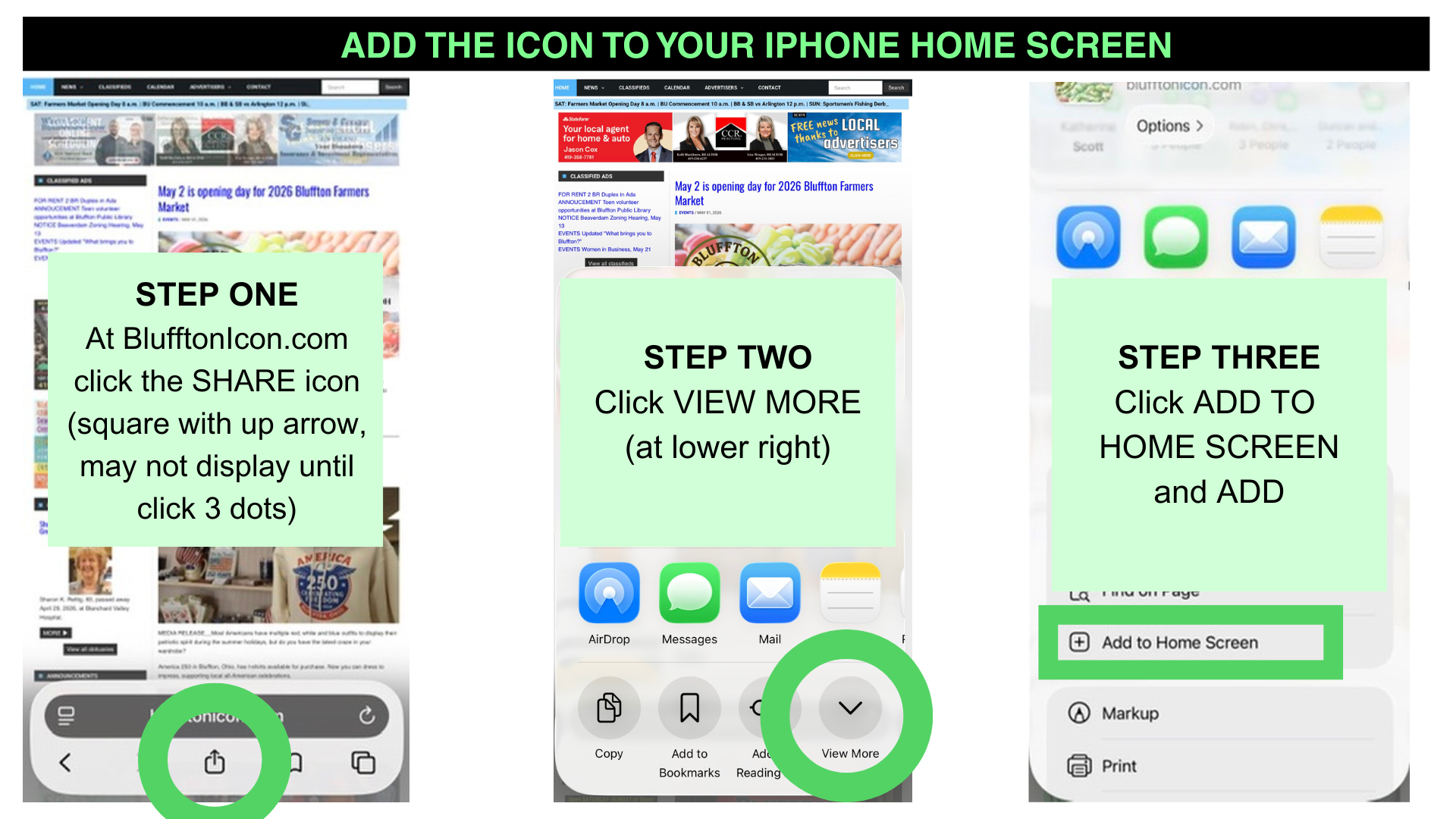
While reporting at recent local events, I've enjoyed showing readers how to add a Bluffton Icon icon to their iPhone home screens. See the graphics above and the instructions below to create an easier way to access BlufftonIcon.com's free news, updated daily.
1) Open BlufftonIcon.com in your browser (Safari, Chrome, DuckDuckgo, etc.). Click the SHARE icon (square with up arrow). This option may be under three dots, depending on your phone size.
2) Click VIEW MORE (down arrow at lower right).
3) Click ADD TO HOME SCREEN and click ADD.
Stay tuned for Android instructions.
Best wishes and thank you for reading the Bluffton Icon!

Stories Posted This Week
Monday, June 15, 2026
Sunday, June 14, 2026
Saturday, June 13, 2026
Friday, June 12, 2026
- Ada Icon headlines, June 12
- Blanchard River Watershed Partnership hosts 5K trail run on July 25
- Beaverdam to begin water treatment plant repairs
- Save the date: Declaration of Independence reading, July 8
- Bluffton Police answer 630 calls for service in May 2026
- Great wealth disparity and our eroding democracy
Thursday, June 11, 2026
- Ada Icon headlines, June 11
- Splitting headache: Fasting and migraines
- Pamela Ann Bricker was a social worker
- Bluffton Community Garage Sales, June 18-19-20
- Open and improved Elm St. segment
- Ultimate car seat guide recommended by Bluffton police
- Senior Center's June community meal shifts to summer schedule